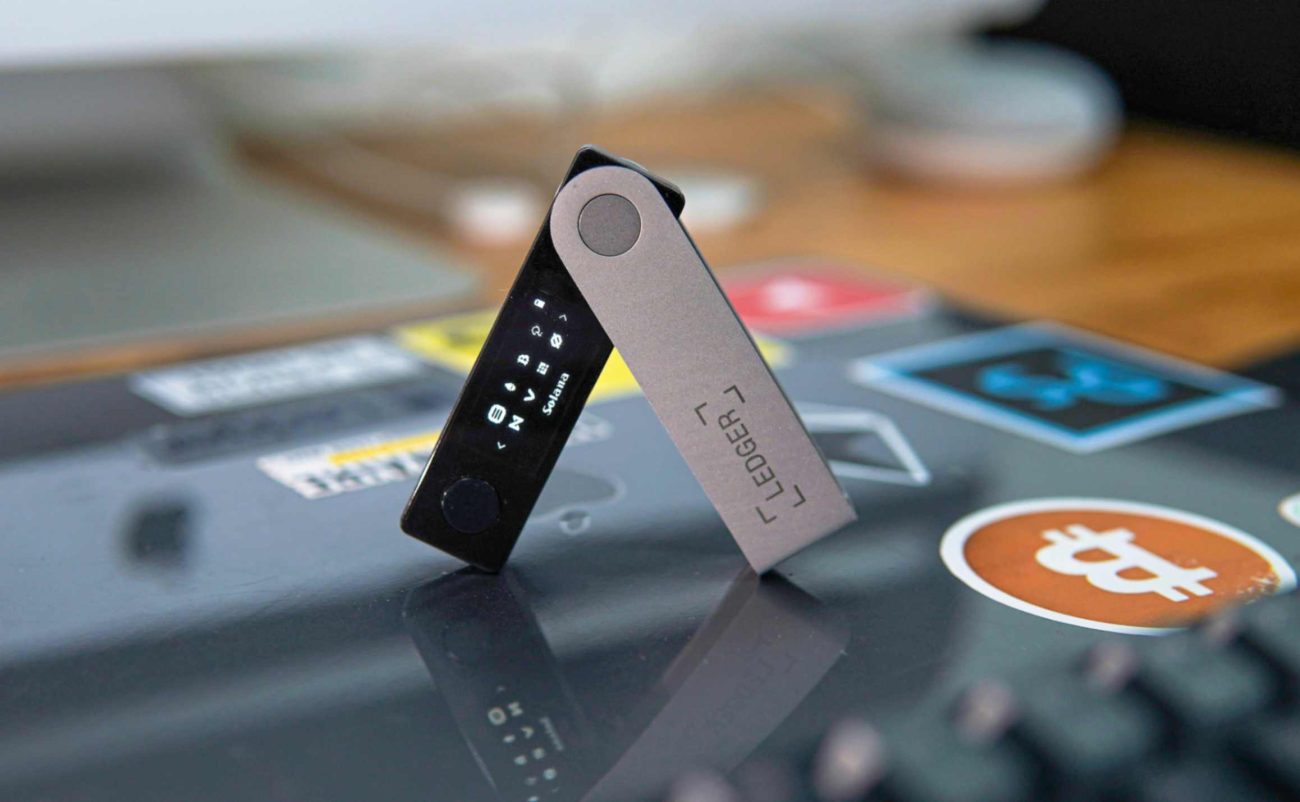
In the world of cryptocurrency, the mantra is clear: “Not your keys, not your coins.” The safest way to protect your digital assets from exchange hacks, malware, and other online threats is through cold storage, typically achieved using a hardware wallet.
Cold wallets are devices or methods that store a user’s private keys entirely offline, making them immune to internet-based attacks. This article provides a comprehensive comparison of the main types of cold storage, outlines critical security best practices, and explains why they are essential for serious crypto holders.
Comparison of Cold Wallet Types
Cold storage is not a single product but rather a category encompassing several offline methods, each with varying degrees of convenience and security.
| Type of Cold Wallet | Description | Key Pros | Key Cons |
| Hardware Wallets | Dedicated, physical electronic devices (like a USB drive) that store private keys and sign transactions offline. | Highest Security, easy to use, supports multiple currencies. | Initial cost, risk of physical damage/loss, requires a device. |
| Paper Wallets | Private keys and public addresses are printed on paper (often as QR codes). | Completely air-gapped (no electronics), zero cost. | Prone to physical damage (fire, water), complex to spend from, security risk during printing process. |
| Air-Gapped Computer | A dedicated computer or laptop that has never connected to the internet, used only for signing transactions. | Highly secure for very large holdings, full control. | Very inconvenient, high setup cost, requires technical skill. |
Verdict: For the vast majority of users, a Hardware Wallet offers the optimal balance of security, convenience, and usability.
Core Security Features of Hardware Wallets
Modern hardware wallets are designed with sophisticated security mechanisms that make them exceptionally resistant to attack:
- Secure Element Chip: The private key is stored within a specialized, tamper-resistant chip (similar to those used in credit cards) that is physically and logically isolated from the rest of the device’s components.
- Air-Gapped Transaction Signing: The private key never leaves the device. When a transaction is initiated on a connected computer, the wallet signs the transaction internally and then broadcasts the signed, unchangeable transaction to the network via the connected computer.
- PIN Protection: Access to the device is protected by a PIN code entered directly on the device’s screen. Repeated incorrect attempts often result in the device wiping itself (which is recoverable via the recovery phrase).
- Physical Confirmation: Users must physically confirm the transaction details (address and amount) on the device’s trusted screen before the transaction is signed, preventing “man-in-the-middle” attacks where malware tries to change the recipient address on the computer screen.
Essential Cold Storage Best Practices
Moving your assets to cold storage is only the first step. Proper management of your Recovery Phrase (also known as the Seed Phrase or Mnemonic Phrase) is the single most important factor for securing your funds.
1. Protect Your Recovery Phrase (Your Master Key)
- Never Digitize It: Do not take a photo of your phrase, store it in a password manager, save it on a computer, or email it to yourself. If your digital environment is compromised, your funds are gone.
- Use Permanent Storage: Write down your 12 or 24 words on the recovery cards provided by the manufacturer. Better still, engrave them onto a metal backup solution (steel plates or capsules) to protect against fire, flood, and decay.
- Implement Distributed Storage: Do not keep the recovery phrase and the hardware wallet in the same location. Consider splitting the phrase or using a geographically separate storage location (e.g., a bank safe deposit box or a trusted relative’s secure location).
2. Verify Your Device
- Buy Directly from the Manufacturer: Always purchase hardware wallets directly from the official company website. Purchasing from third-party retailers (like eBay or Amazon) risks receiving a tampered or compromised device.
- Check for Tampering: Upon receiving the device, inspect the packaging for any signs of tampering or re-sealing. Most reputable brands use specific seals.
- Do Not Use Pre-Seeded Devices: If the device arrives with a recovery phrase already written down for you, it is compromised. Immediately discard the device and report the seller.
3. Practice and Maintenance
- Perform a Test Restore: After setting up your wallet and storing a small amount of crypto, deliberately wipe the device and restore it using your recovery phrase. This ensures your backup works before you commit large amounts of funds.
- Keep Firmware Updated: Regularly update your hardware wallet’s firmware via the manufacturer’s official application to ensure you have the latest security patches and features.
- Use a Passphrase (25th Word): For maximum security on significant holdings, utilize the passphrase feature (the 25th word). This extra word, known only to you, adds a layer of encryption, meaning even if someone finds your 24-word recovery phrase, they cannot access your funds without the 25th word.
Cold storage is not a luxury; it is a necessity for anyone holding a non-trivial amount of cryptocurrency. By utilizing a high-quality hardware wallet and meticulously adhering to best practices—especially regarding the security of your Recovery Phrase—you take complete sovereign control over your assets.
Here are the top three hardware wallet brands on the market, each representing a distinct approach to security and usability:
1. Ledger (The Market Leader)
Ledger, a French company, is the dominant market leader, known for balancing security with a sleek, user-friendly interface through its Ledger Live companion app.
| Feature | Ledger Nano X / Ledger Flex | Philosophy |
| Security Model | Uses a proprietary Secure Element (SE) chip (CC EAL5+ certified) to store the private key. | Certified Security: Relies on certified, tamper-resistant hardware, common in banking/credit cards. |
| Open Source | Firmware is closed-source. Companion app (Ledger Live) is open-source. | Trust via Certification: Believes the SE chip offers the best physical protection, even if the firmware code isn’t publicly auditable. |
| Usability | Excellent mobile support via Bluetooth (Nano X) or large E-Ink touchscreens (Stax/Flex). | All-in-One Ecosystem: Ledger Live allows users to manage, buy, swap, and stake a vast array of assets directly within one secure application. |
| Best For | Users prioritizing multi-currency support, mobile management, and integrated DeFi/Staking services within a single ecosystem. |
2. Trezor (The Open-Source Original)
Trezor, developed by SatoshiLabs, was the world’s first hardware wallet. It is highly favored by privacy and security advocates who prioritize transparency.
| Feature | Trezor Model T / Trezor Safe 5 | Philosophy |
| Security Model | Relies on strong on-device PIN protection and Open-Source firmware. Modern models (Safe 3, Safe 5) now feature a Secure Element chip. | Trust via Transparency: The core philosophy is that fully auditable code is the most robust defense against backdoors and vulnerabilities. |
| Open Source | Fully open-source hardware and software. | Community Vetting: Anyone can verify the code running on the device, adhering to the “Don’t Trust, Verify” crypto ethos. |
| Usability | Excellent desktop experience via the Trezor Suite application. Uses a clear touchscreen (Model T/Safe 5) for easy confirmation. | Security-First: Focused heavily on cold storage fundamentals, offering a robust but slightly less centralized ecosystem compared to Ledger. |
| Best For | Users prioritizing transparency, privacy, and full open-source code, especially dedicated Bitcoin holders (who may opt for the Bitcoin-only version). |
3. Tangem (The Card-Style Minimalist)
Tangem represents a newer philosophy, moving away from the “USB-stick” form factor and complex screens to a simple, credit-card-sized design.
| Feature | Tangem Wallet Card | Philosophy |
| Security Model | Uses an EAL6+ certified Secure Element chip embedded in a plastic card. Uses NFC (Near Field Communication) for air-gapped signing. | Ultimate Simplicity & Durability: Designed for maximum convenience and resilience, making it easy to carry and resistant to physical damage. |
| Open Source | Firmware is closed-source. App is open-source. | Trust via Audited Hardware: Relies on the high EAL6+ certification and physical simplicity to secure the keys. |
| Usability | Extremely easy setup and daily use. No battery, cables, or physical buttons—you simply tap the card to your phone to transact. | Seedless Backup: The primary innovation is the elimination of the paper seed phrase. Backup is handled by a second or third physical card, removing the biggest single point of failure for beginners. |
| Best For | Beginners and mobile users who want the highest security with the lowest hassle, or as a convenient secondary/backup wallet. |
Key Takeaway for Choosing:
| If you prioritize… | Choose… | Because… |
| All-in-one features & Mobile use | Ledger Nano X / Flex | Excellent app ecosystem (Ledger Live) with integrated staking and Bluetooth. |
| Transparency & Open Source | Trezor Model T / Safe 5 | Fully auditable code and a long history of community trust. |
| Simplicity & Seedless Backup | Tangem Wallet | Credit-card format, no cables, and easy card-to-card backup instead of a paper phrase. |
Always remember to buy directly from the official manufacturer’s website to avoid the risk of a compromised device.